A month board for each person
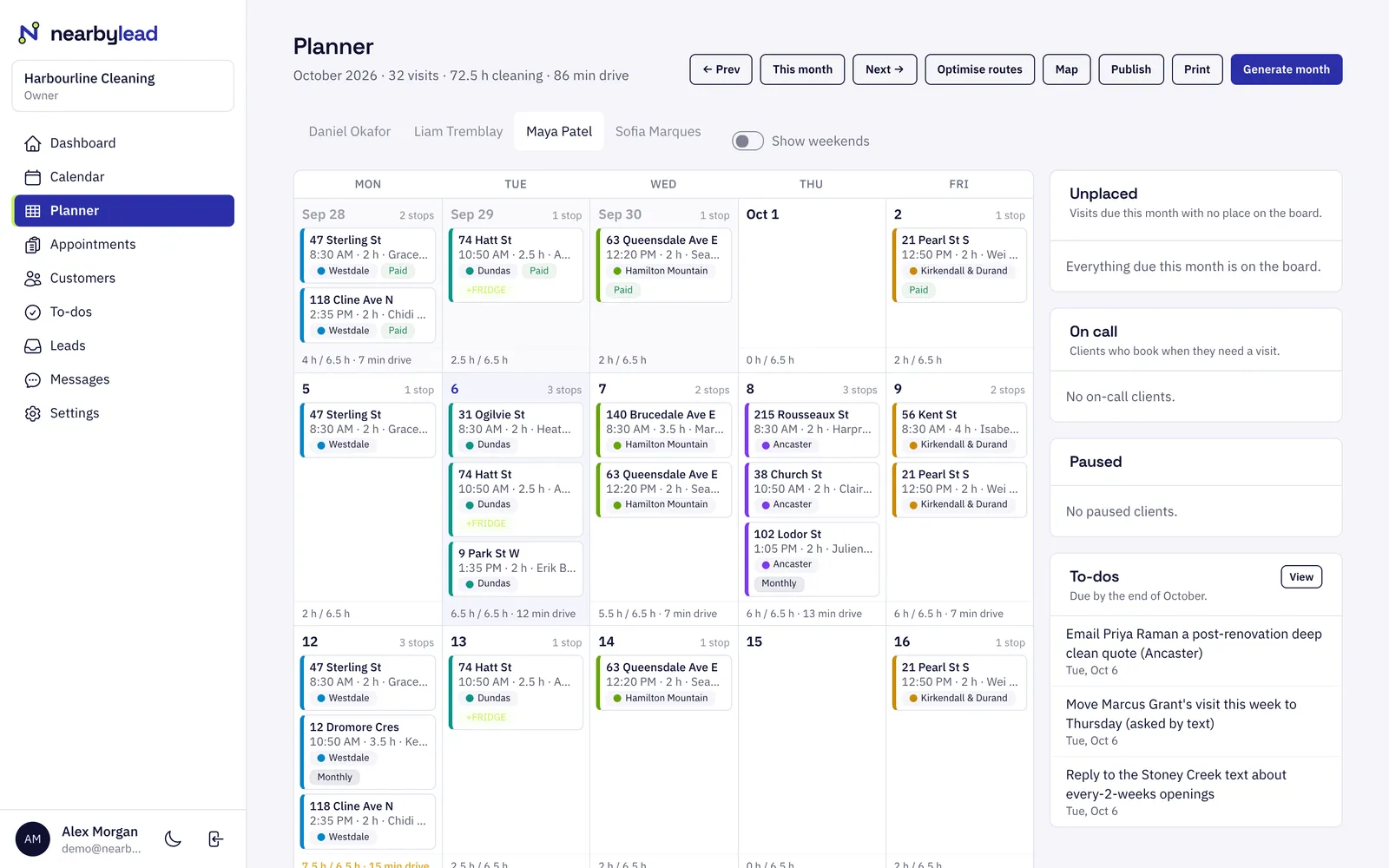
See a month of visits per person, day by day, with hours and drive time. Drag to reorder or move visits, then publish when it looks right.
Staff & routing
NearbyLead plans each person's month so that every day stays in one area of town, then orders the stops to cut drive time. Your crew sees their day on their phone with directions, notes and check-in, and you see everyone's route on one map.
See a month of visits per person, day by day, with hours and drive time. Drag to reorder or move visits, then publish when it looks right.
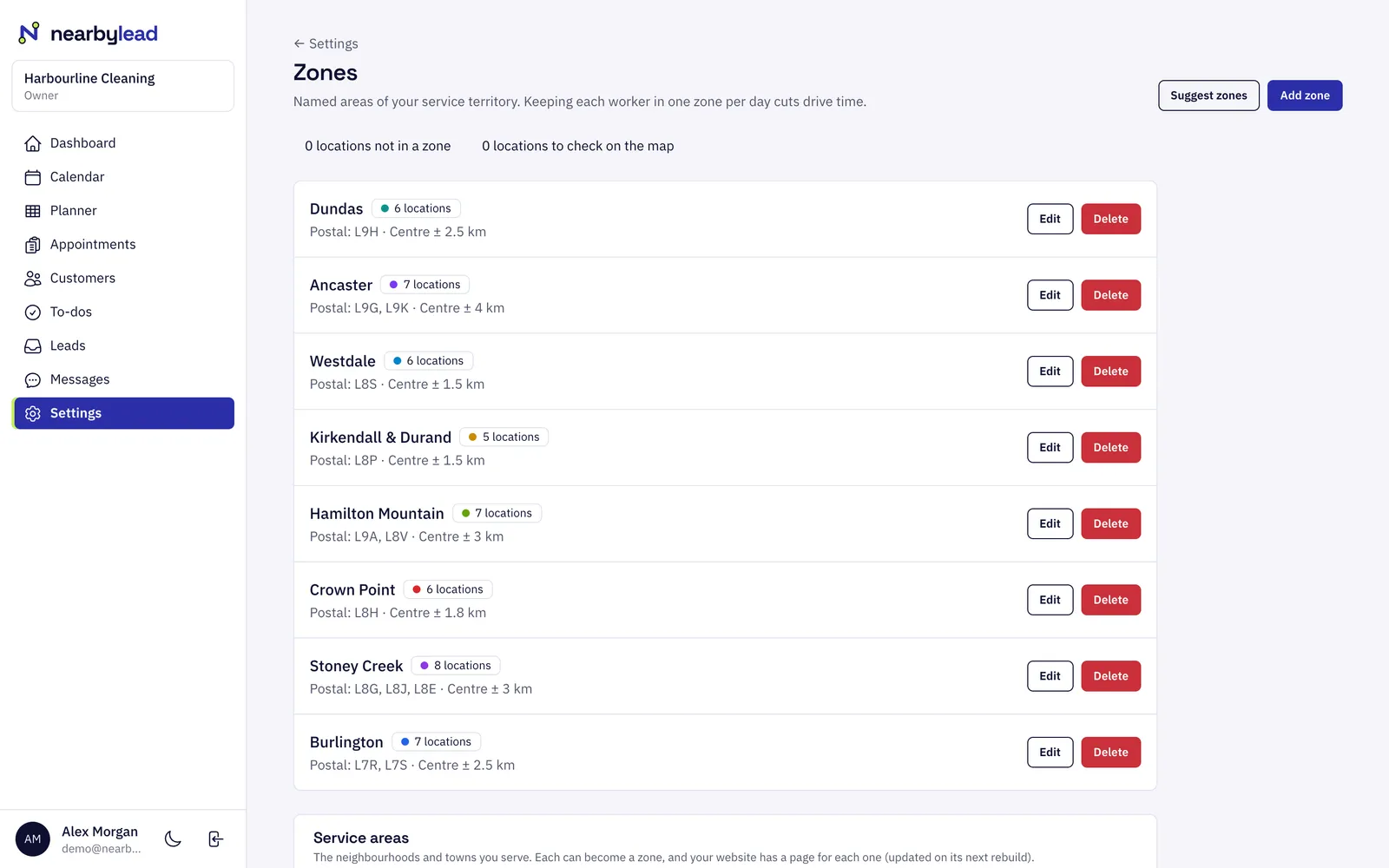
Your service area is split into zones by postal code. The optimiser keeps each person's day inside one zone where it can, so they drive minutes between stops, not across town.
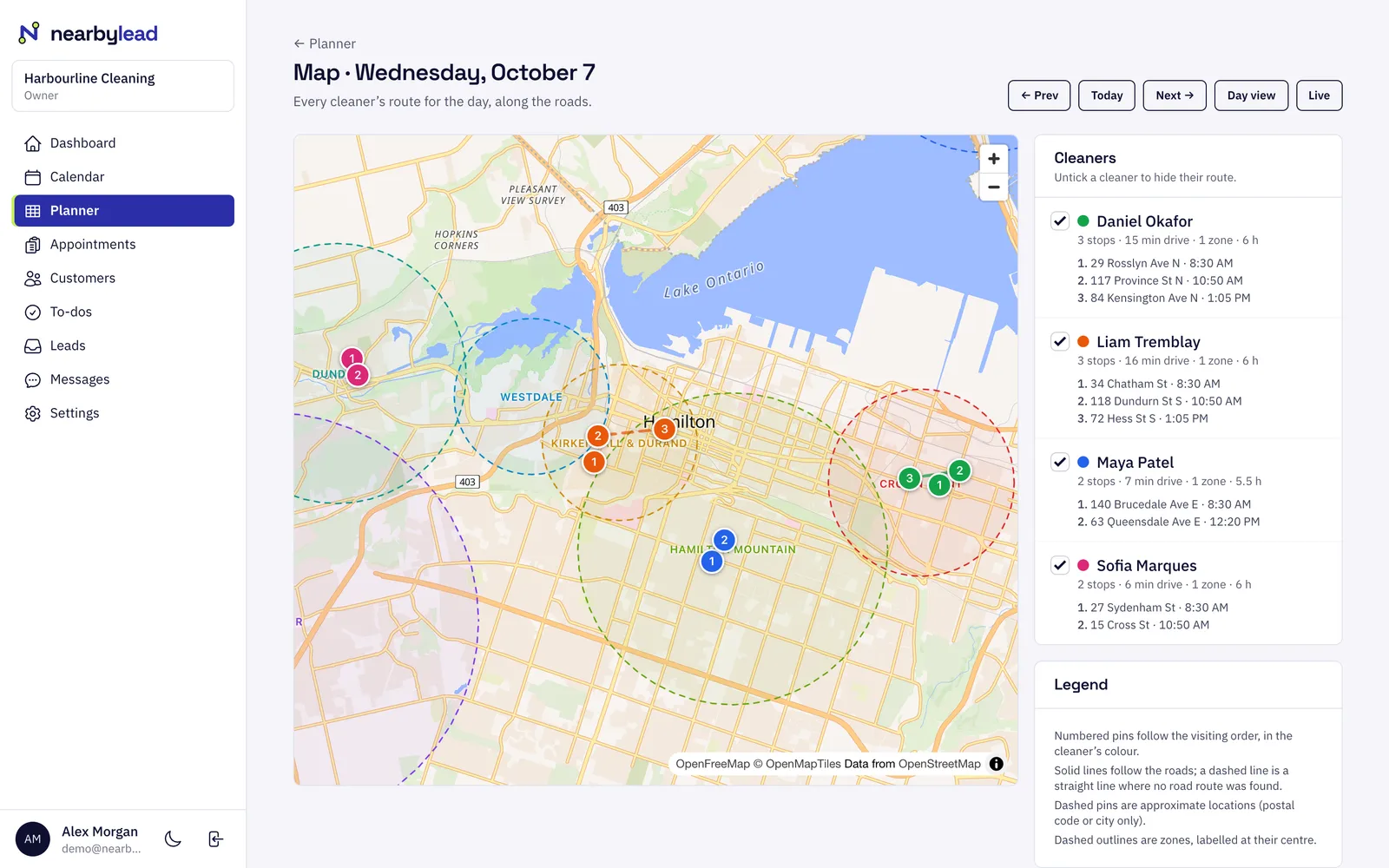
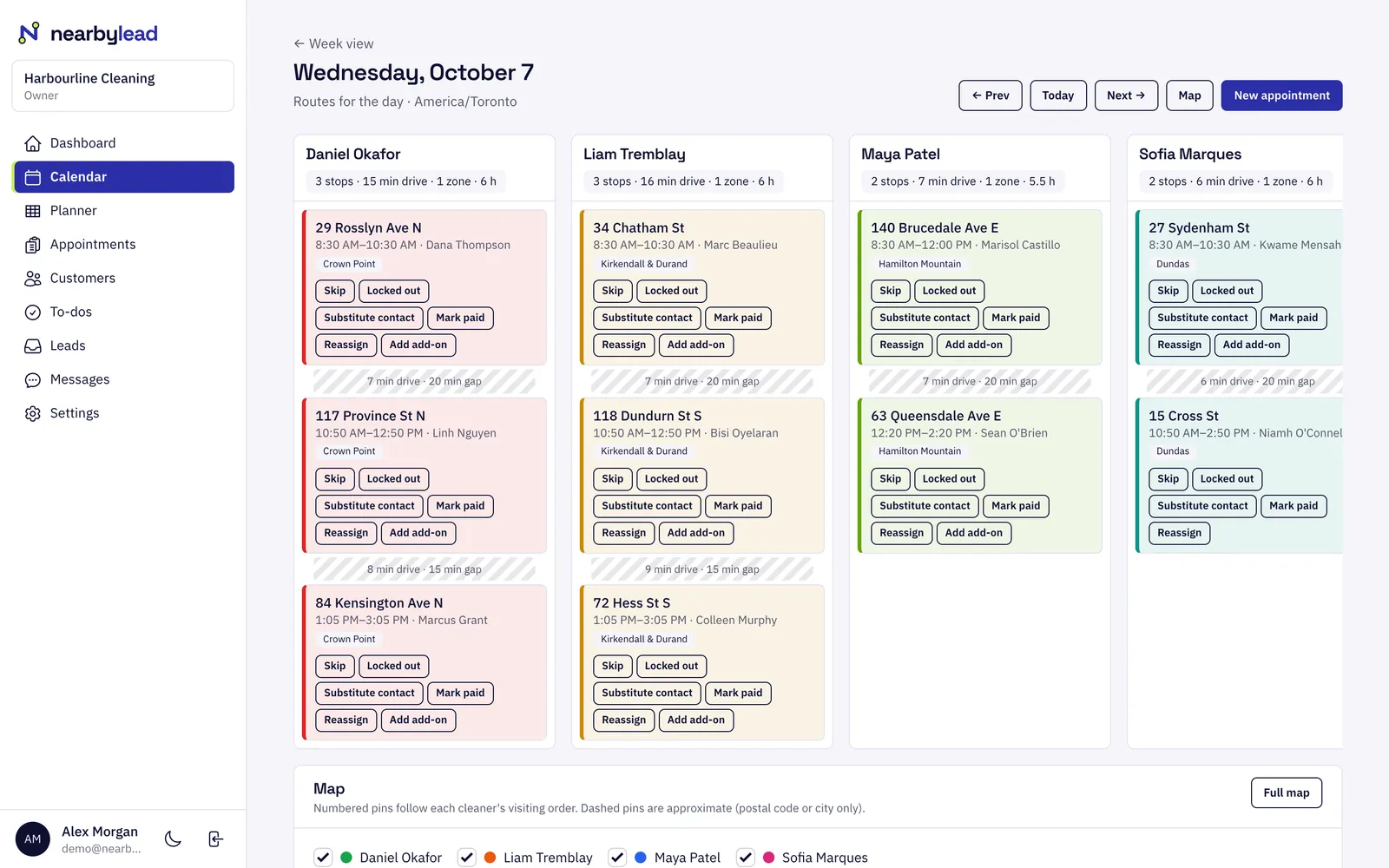
The day view lays every person's stops out in visiting order with drive times between them. The map shows the same routes on the roads, with your zones.
Your crew get today's stops in order with arrival windows, notes, directions and a call button. They check in and out, report a lockout or an issue, and it still works with a weak signal.
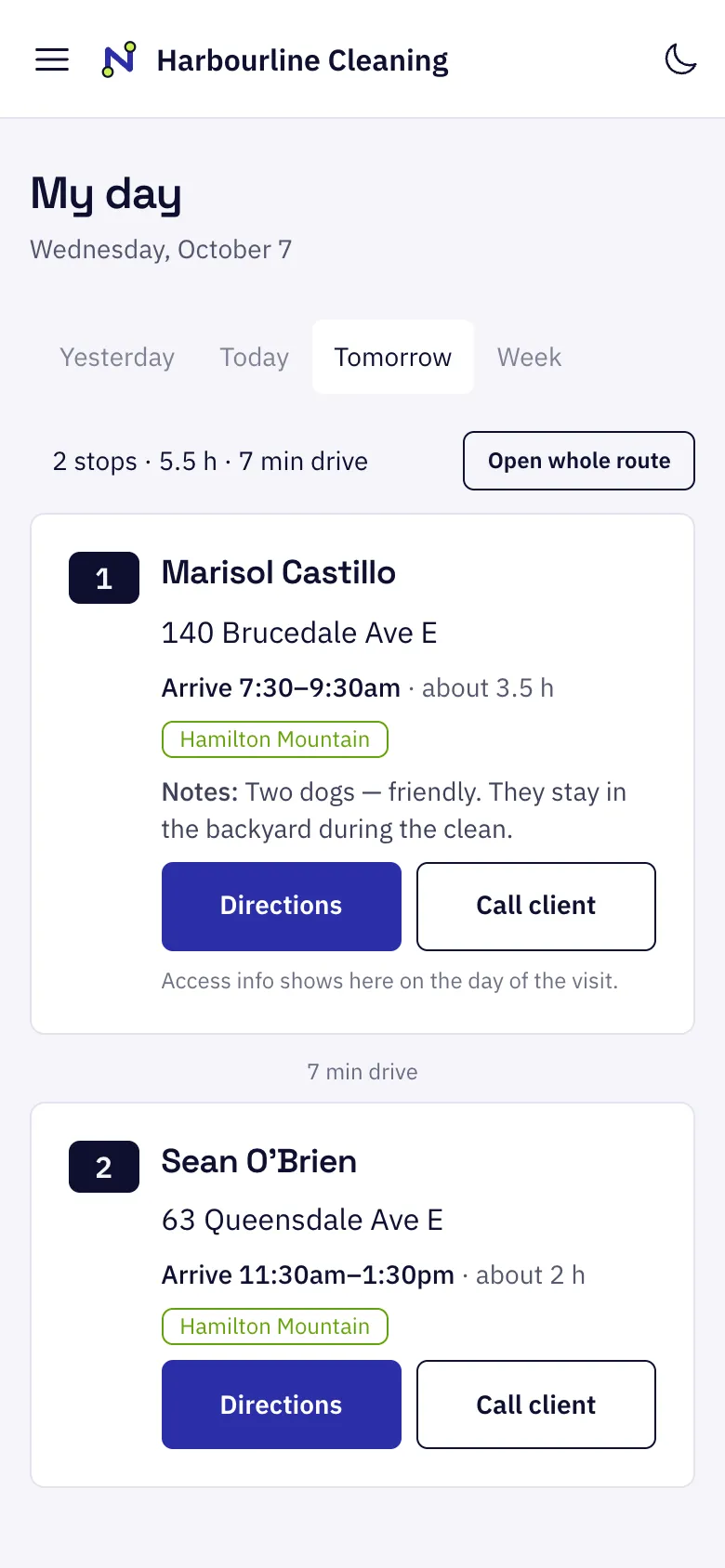
Each person gets tomorrow's stops by text or email the evening before, with a link to the route that works without signing in.
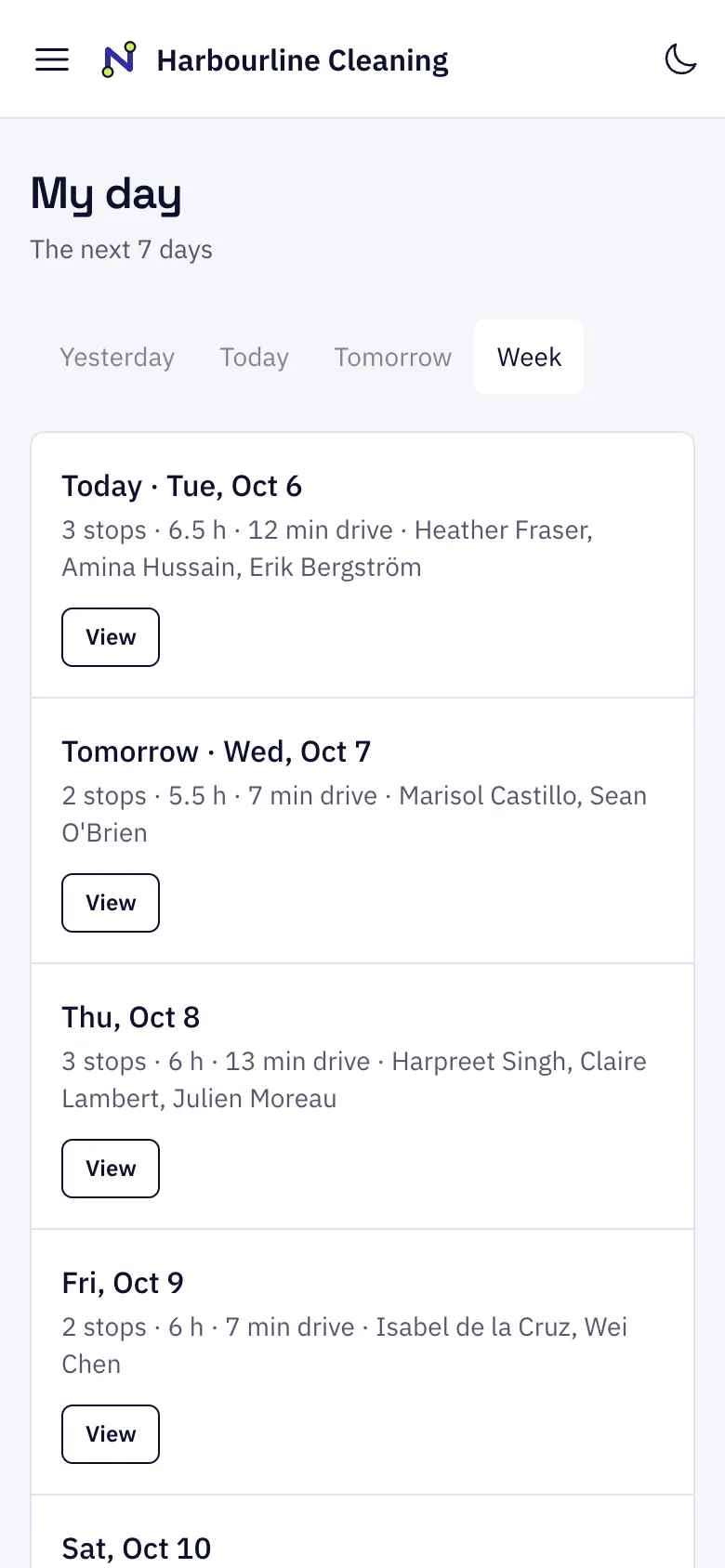
Most of a crew’s lost time is driving between jobs. If Monday’s visits are spread across the whole city, every stop starts with a long drive. If Monday is “the west end” and Tuesday is “the mountain”, the drives between stops are a few minutes each.
NearbyLead does this for you. It groups your customers into zones by postal code, then plans each person’s month so that each day stays inside one zone wherever their plans allow. Within the day, it puts the stops in the order with the least driving, while keeping the arrival windows and preferences you’ve promised customers.
Add your staff, their working hours and the services they do. Zones can be suggested from your customers' addresses.
The optimiser places recurring visits into area days and orders each route, and shows you the drive time it saves before you accept.
Publish the month. Customers get their arrival windows and your crew get their routes.
Your service area is split into zones, such as neighbourhoods grouped by postal code. When planning, each person's day is kept inside one zone where possible, so drive time between stops stays short and they arrive on time.
No. My day runs in the phone's browser and can be added to the home screen. It keeps the last route it loaded, so it still shows the day with a weak signal, and check-ins are sent when the signal returns.
Yes. Drag visits within a day or to another day on the month board. The optimiser suggests changes, but you decide what to accept and when to publish.
Drive times come from road routing. Where traffic data is available, times are estimated for the time of day each drive happens.
Customers
Customers
Customers in NearbyLead hold everything you need to serve them well.
Reminders
Reminders
NearbyLead confirms bookings and reminds customers before each visit by text or email, on a schedule you set.
Leads
Leads
The leads inbox collects every quote request from your website and every enquiry taken over the phone.
Pick what you do and where. It takes about ten seconds.