Recurring plans on any rhythm
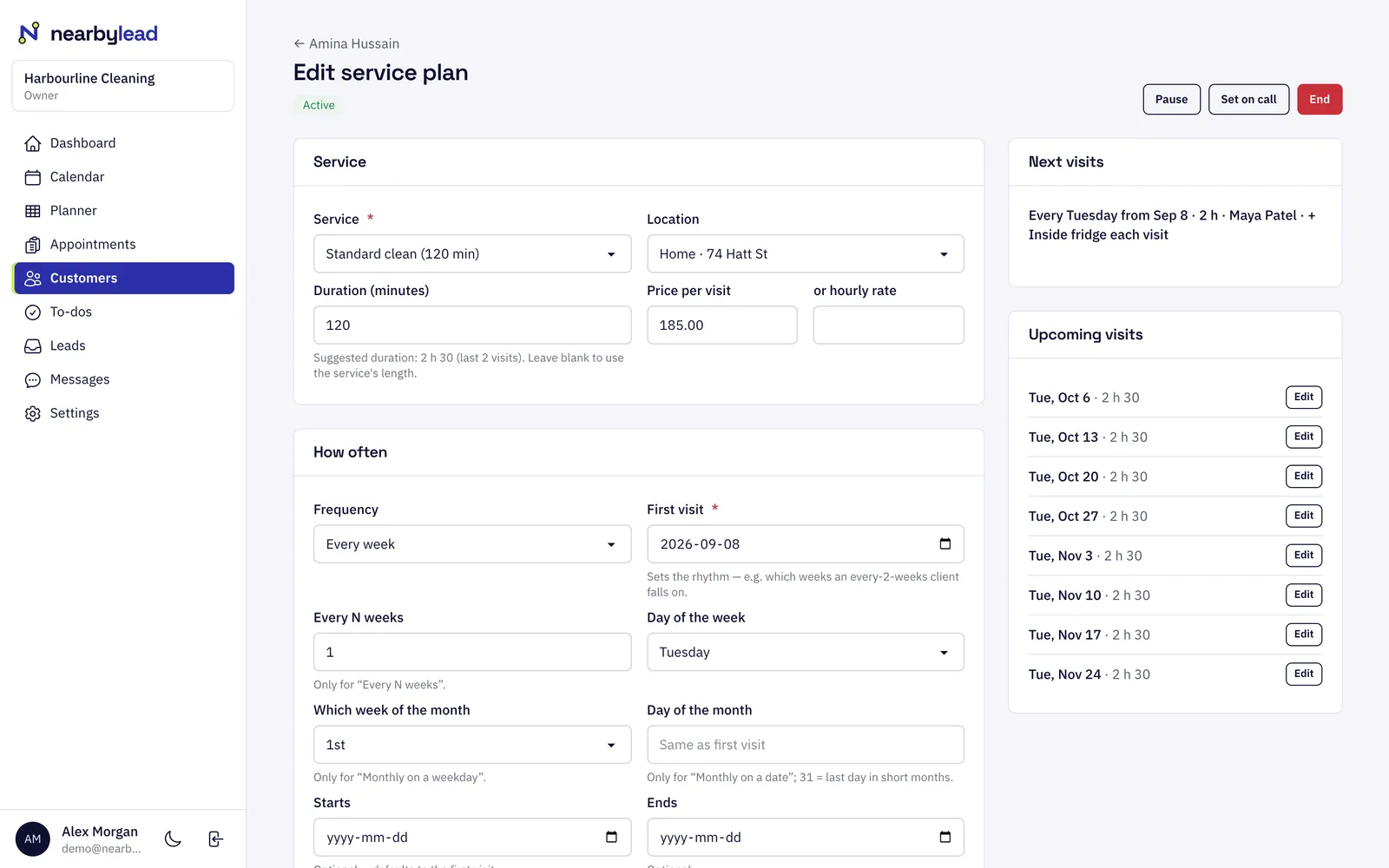
Weekly, every two weeks, every four weeks, monthly on a weekday and more, with add-ons like inside the fridge. Change one visit, all future visits or just from a date on, and pause, end or put a customer on call.
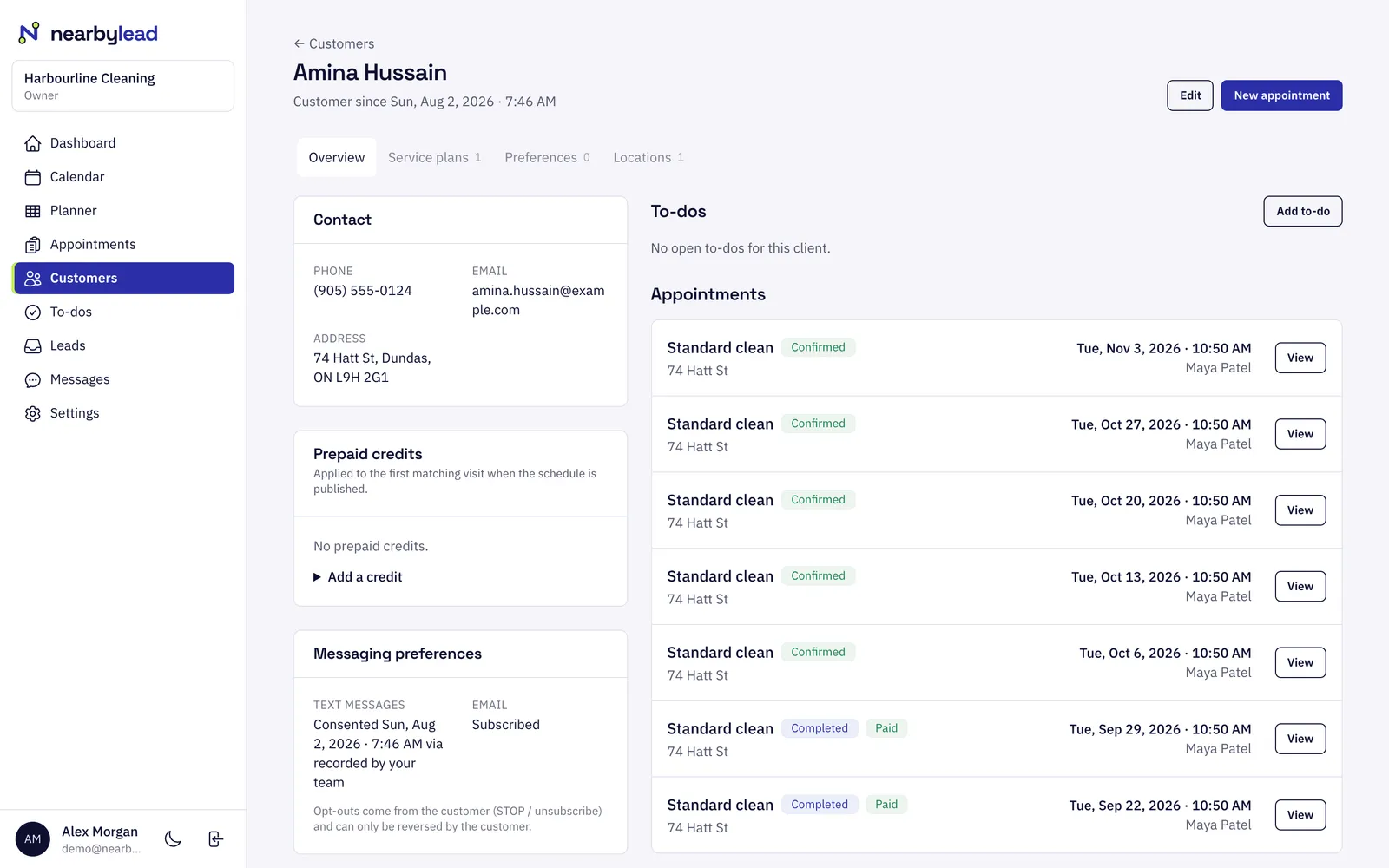
Customers
Customers in NearbyLead hold everything you need to serve them well. That means contact details, the homes you visit, preferences and rules for scheduling, and recurring plans from weekly to every four weeks. Visits are laid out from each plan, and changes go to the right dates.
Weekly, every two weeks, every four weeks, monthly on a weekday and more, with add-ons like inside the fridge. Change one visit, all future visits or just from a date on, and pause, end or put a customer on call.
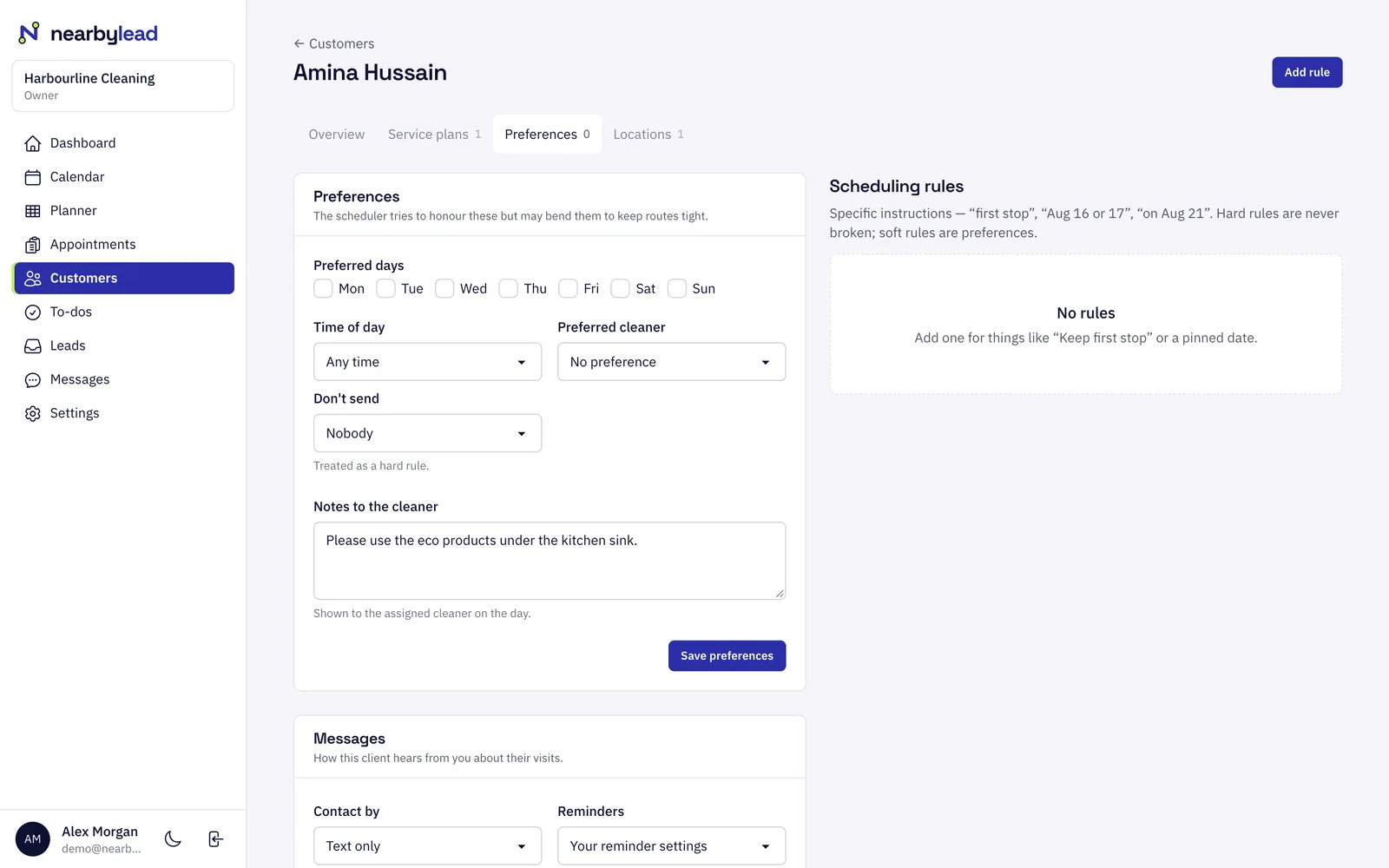
Preferred days, time of day and cleaner, notes for the person doing the work, and rules like "first stop" or "never on Fridays". Hard rules are never broken; soft ones are followed where they can be.
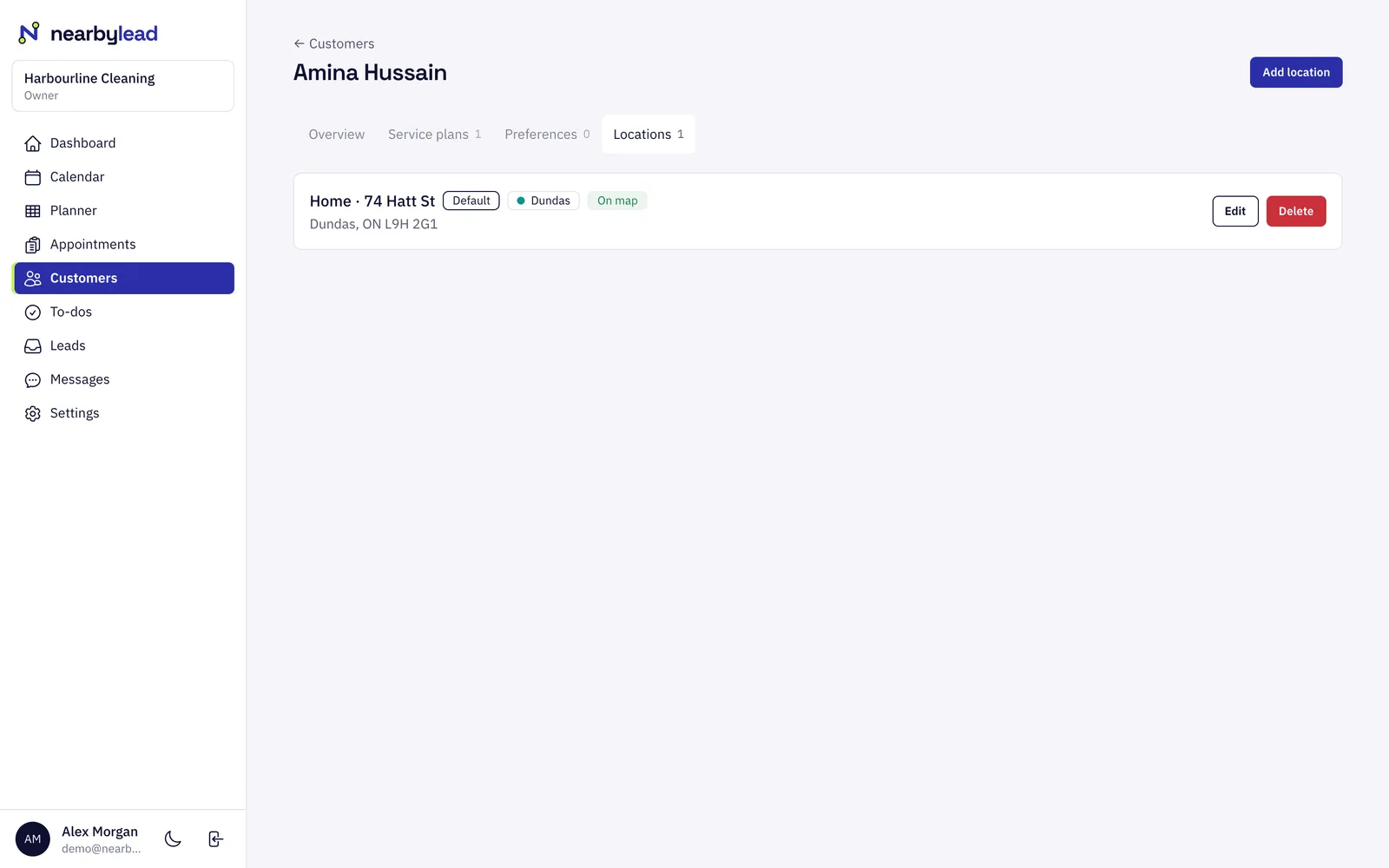
Customers can have several locations, each placed on the map for routing. Door codes are stored encrypted and only shown to the assigned person on the day of the visit.
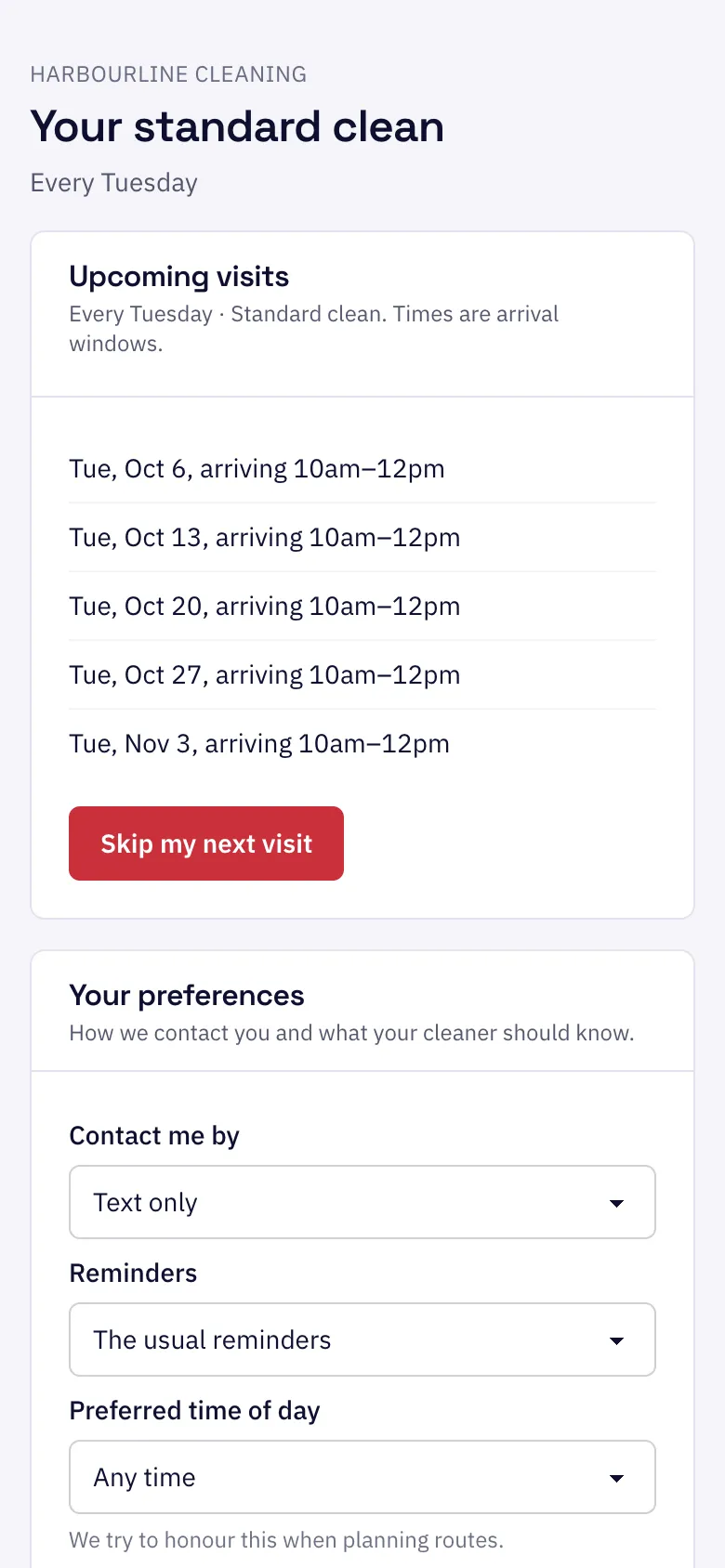
Each customer gets a private link to see upcoming visits, skip the next one within your cut-off, ask to pause, and choose how they hear from you. You see every change.
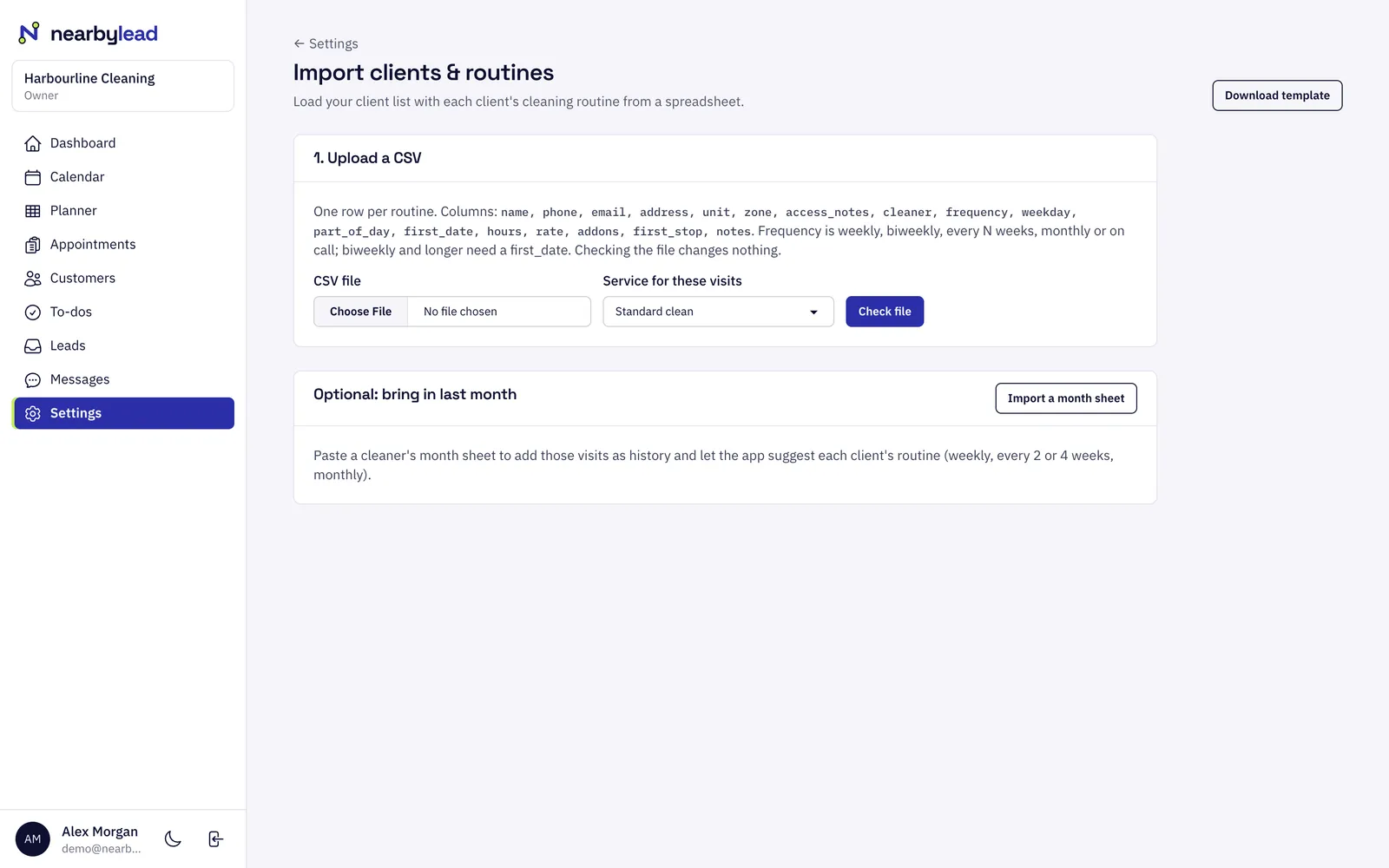
Import customers, schedules and a month sheet from a spreadsheet. A dry run shows what will be created or matched before anything is saved.
Pick the service, how often, the day and any add-ons.
The next weeks of visits are laid out as drafts and assigned to the right person.
Publish the month, and customers and your crew get confirmations and reminders.
Yes. When you edit a visit you choose this visit only, this and following visits, or all visits. Skips, moves and one-off add-ons are kept when the plan changes later.
Pause the plan with or without a restart date. Their future visits are removed and they get one confirmation. They can restart online from their customer page, and you get a to-do to check the new visits.
Access codes are encrypted when saved. In the My day app they appear only to the person assigned to that visit, only on the day of the visit, and only when they tap to show them.
Staff & routing
Staff & routing
NearbyLead plans each person's month so that every day stays in one area of town, then orders the stops to cut drive time.
Reminders
Reminders
NearbyLead confirms bookings and reminds customers before each visit by text or email, on a schedule you set.
Leads
Leads
The leads inbox collects every quote request from your website and every enquiry taken over the phone.
Pick what you do and where. It takes about ten seconds.