Deposits when they book
Set a deposit on any service. Online bookings for it are held until the customer pays on Stripe's secure checkout, then confirmed. You can refund a deposit from the appointment.
Payments
NearbyLead takes payments through your own Stripe account. Ask for a deposit when someone books online, invoice a visit once it's done, or charge the card a customer saved. The money lands in your Stripe account, paid invoices mark the visit paid, and NearbyLead adds no fee on top of Stripe's.
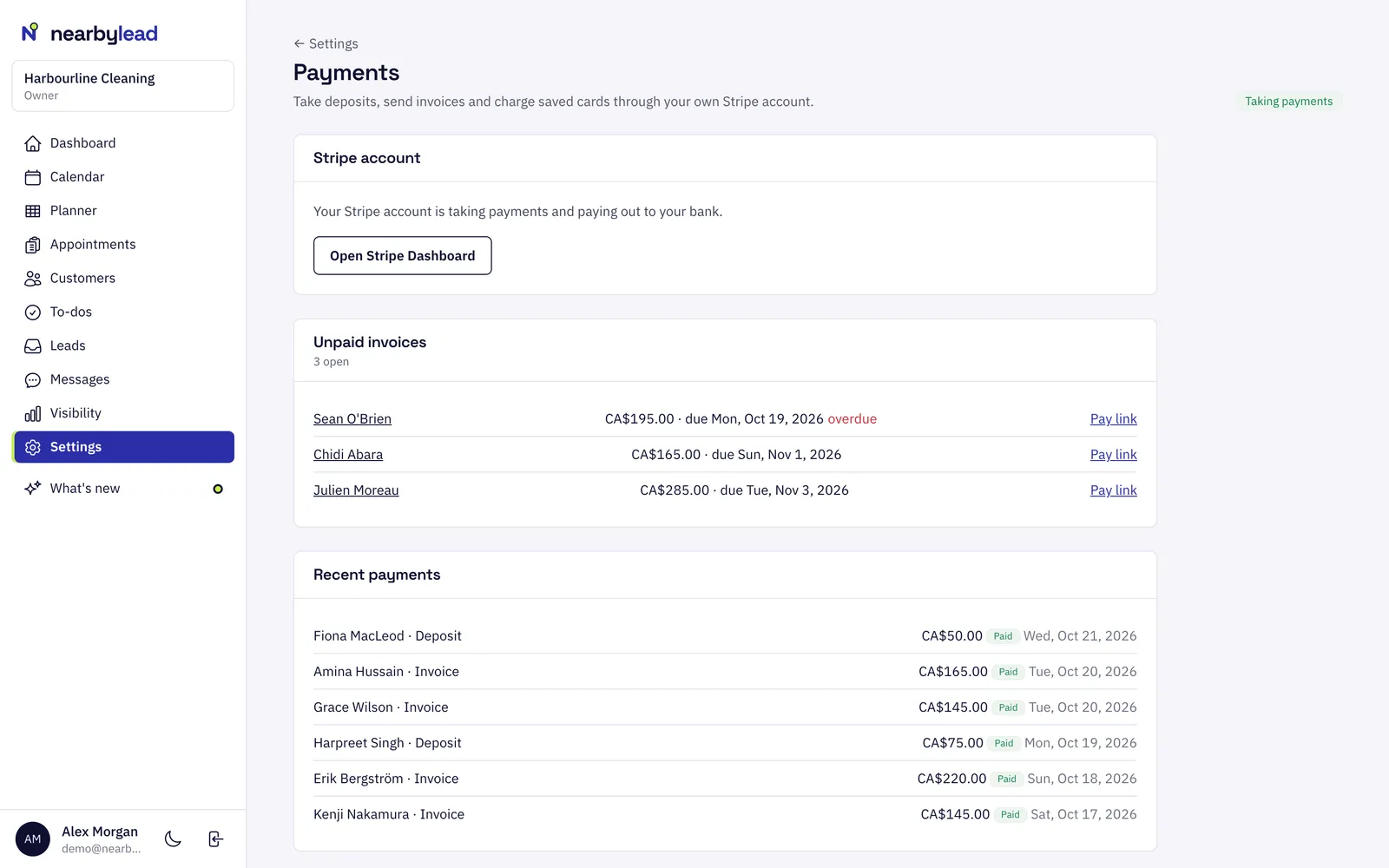
Set a deposit on any service. Online bookings for it are held until the customer pays on Stripe's secure checkout, then confirmed. You can refund a deposit from the appointment.
Create an invoice from a finished visit. NearbyLead fills in the lines, takes off any deposit already paid, and lets you edit them. Stripe emails it with a pay link, and the visit shows paid once it's settled.
If you allow it, customers save their card when they pay a deposit, or from a link you send. Turn on auto-charge for a recurring plan and each visit is invoiced and charged after it's marked done. If a charge fails, you get an alert and the invoice stays payable.
You connect your own Stripe account, so payouts, receipts and disputes stay with you and your Stripe dashboard. Available for businesses in Canada and the US.
Go to Settings, then Payments, and connect Stripe. Stripe asks for your business and bank details, and most businesses finish in a few minutes.
Add a deposit amount to the services that need one. Leave it blank and they book as they do today.
Send an invoice from a finished visit, or turn on auto-charge on a customer's plan once they've saved a card.
NearbyLead doesn't charge anything extra for payments. Stripe's normal card fees come out of each payment on your own Stripe account.
Yes. You start it from Settings, then Payments, and Stripe walks you through it. Payments go to that account, not through NearbyLead.
Yes. Cash and cheque work like before: mark a visit paid or unpaid, and record prepaid visit credits on a customer by hand.
Stripe emails the invoice with a link to pay online by card. If they've saved a card and you've turned on auto-charge, it's paid without them doing anything. Receipts follow the email settings in your Stripe dashboard.
Pick what you do and where. It takes about ten seconds.